Capacity warnings
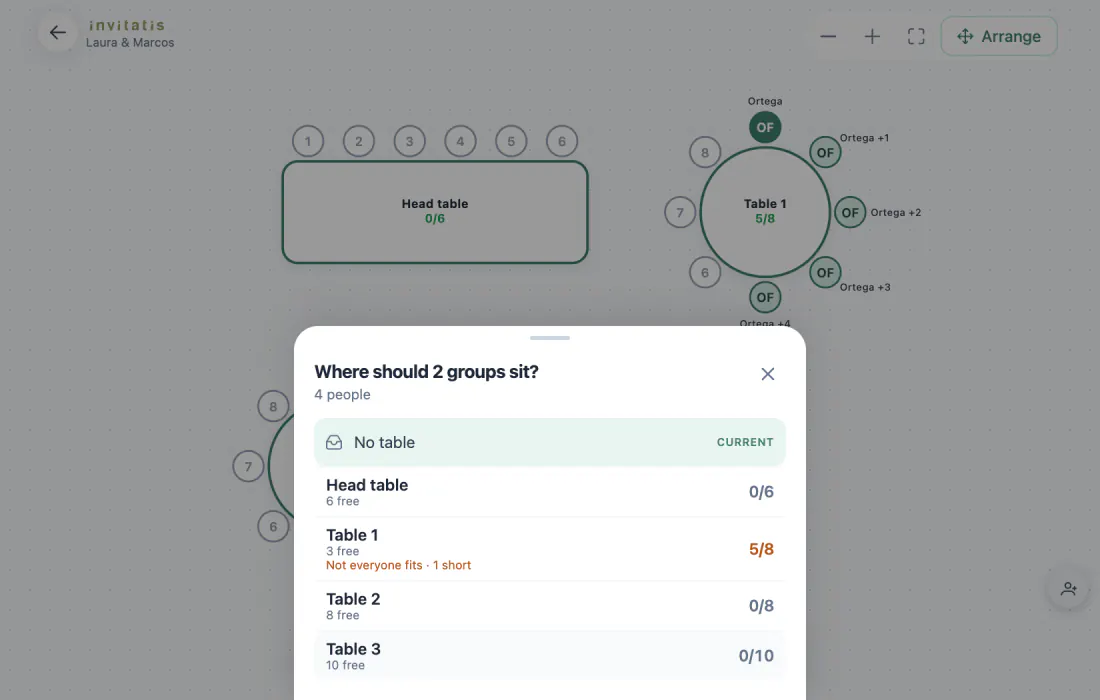
Before you move anyone, you see how many free chairs each table has and whether the group fits. If you're short on seats, it says so.

Seating plan · Included · Works on your phone
Draw the room, tap a group, tap a table. Families sit together, and the plan tells you when something doesn't add up.
Included at no extra cost. Plan your tables for free and pay 75€ once, only if you publish your wedding website.

A seating plan is the map of your reception: which tables there are, how many chairs each one has and who sits in each chair. In Invitatis you build it on a visual plan, using the guests who have already RSVPed, and download it as a CSV for the caterer when it's ready.
Seat your guests
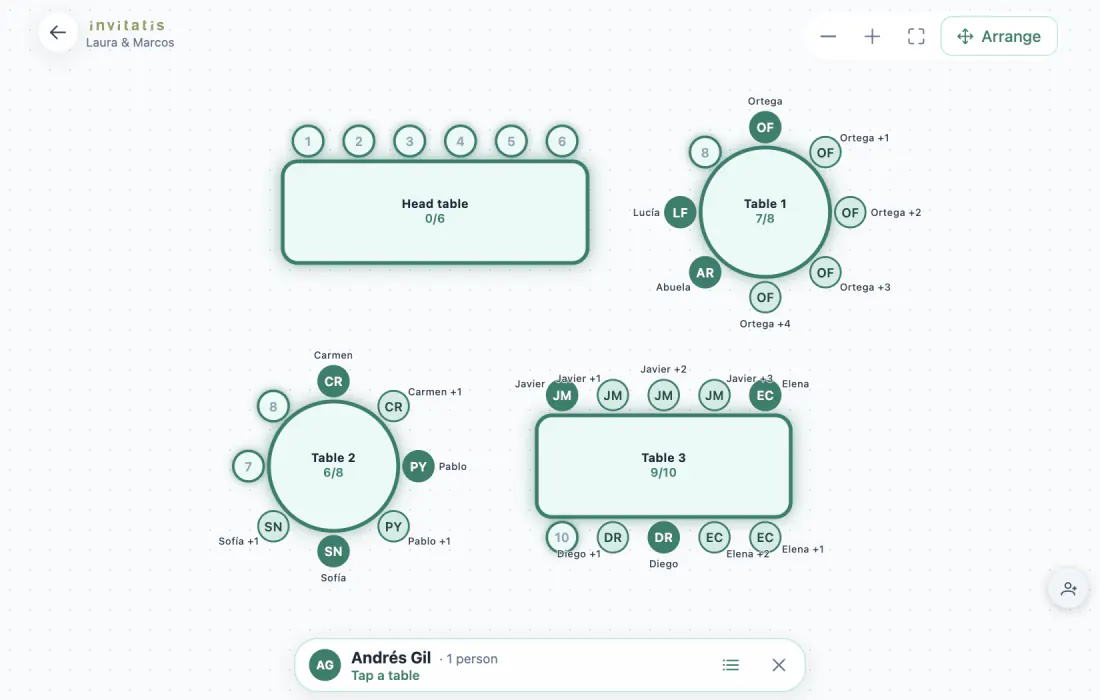
Every guest arrives with their companions. Tap the group, tap the table, and they take seats next to each other. Nobody gets split up by mistake.
Draw the room
Tap “Arrange” and drag each table into place. Rotate it from its handle and it snaps every 45 degrees, so the head table sits straight in front of the rest.
Create tables

Choose the shape, the number of seats and how many tables you want. They appear numbered and placed on the plan, ready for guests. Change the seats later and the plan tells you who is left without a chair.
Your guest list

Anyone who RSVPs on the website shows up on the plan by themselves. For everyone else, copy your list from Excel, WhatsApp or your phone notes and paste it in. One person per line, and “Ana +2” adds Ana with two companions.
The replies come from the Invitatis RSVP.

The plan doesn't just remember where everyone sits. It tells you when something stops adding up.
Before you move anyone, you see how many free chairs each table has and whether the group fits. If you're short on seats, it says so.
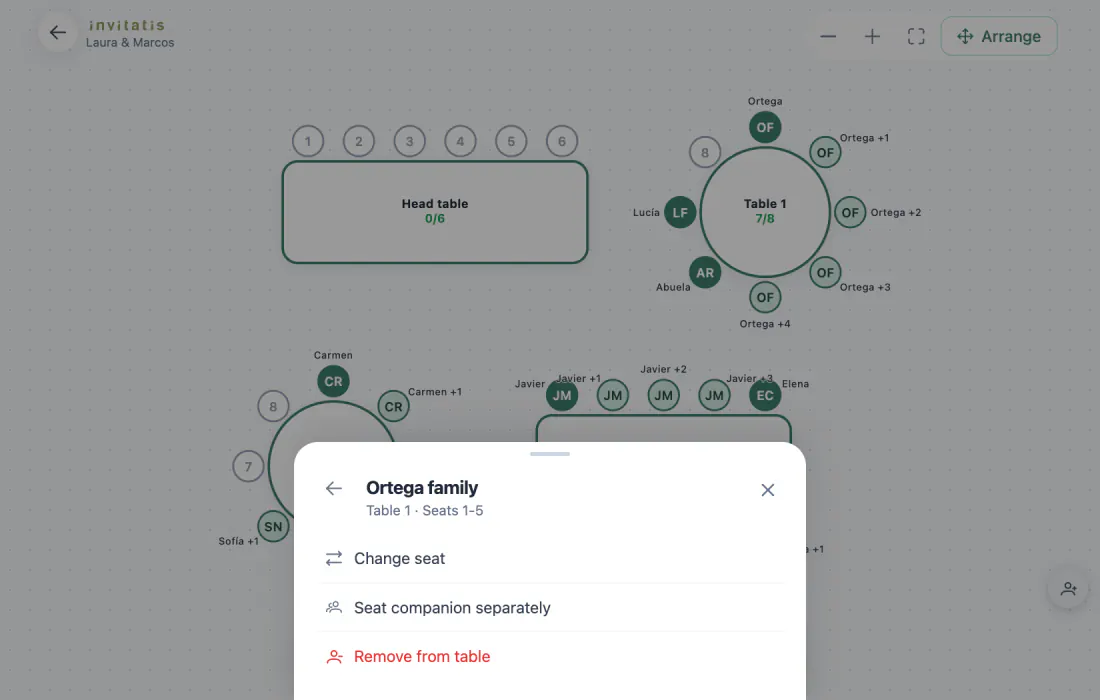
Move someone to another seat, split them from their group to sit at a different table, or take them off the table. Everyone else stays put.
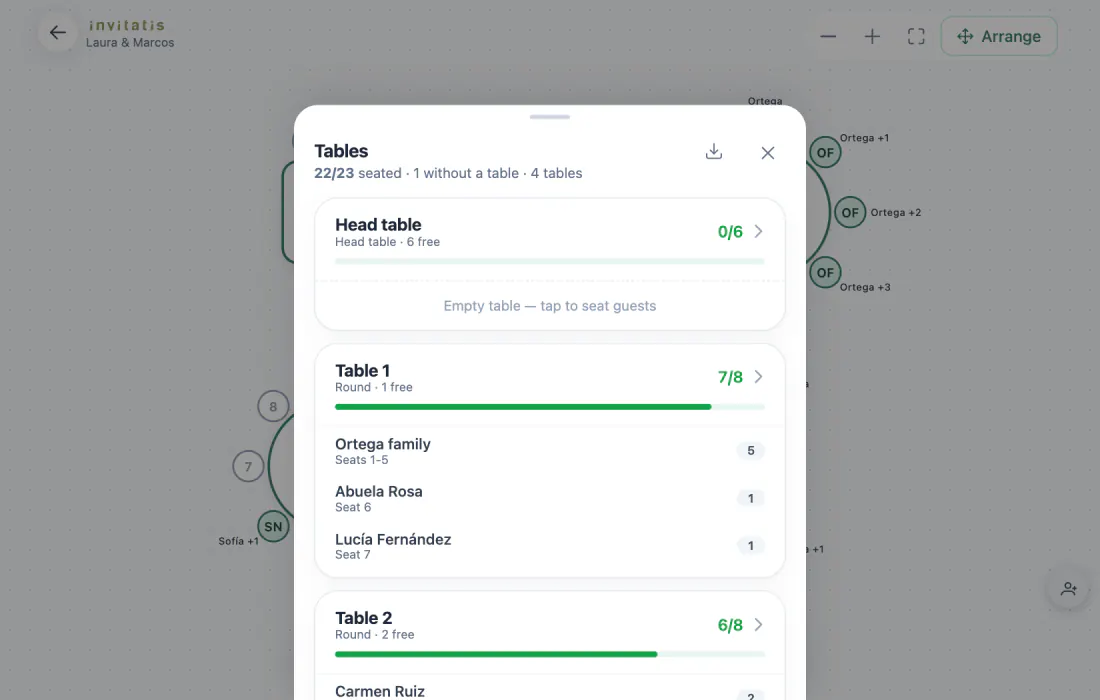
Seated, without a table and free chairs at a glance. Download the plan with table, seat and guest, and hand it to the caterer.
What if someone changes their answer? If a seated guest confirms more companions or lets you know they can't make it, their seats get flagged on the plan and they show up under “Changed answers”. Then you can find them a spot or free up the chair.
You run the plan with your finger. Pinch with two fingers to zoom, twist two fingers to rotate a table and seat a group with two taps. Perfect for going over it on the sofa or during the venue visit.
Only the two of you see the tables. Guests see the wedding website, not where anyone is sitting. Read more about how we protect your guests' data.
Share your wedding website. Each reply arrives with its companions and lands in the “No table” list.
Create the tables with the shapes and seat counts the venue gave you, and place them the way they'll be on the day.
Place every group, check the warnings and download the CSV for the caterer. You can keep tweaking it right up to the last day.
The demo comes with a sample wedding, four tables and 23 guests waiting for a seat. Your changes are only saved in your browser.
Open the seating plan demoThe seating plan, in numbers
of table: round, rectangular and head table
to seat a whole family
it comes with your wedding website and RSVP
What couples ask before they get started on the tables.
Create your wedding for free, build the seating plan and publish the website only if you love it.
Plan my tablesSeating plan, RSVP and digital invitation included. 75€ once, when you publish.
Invitatis Spain, a registered trade name at the OEPM.
Write to us at contacto@invitatis.com




All rights reserved Invitatis.com